
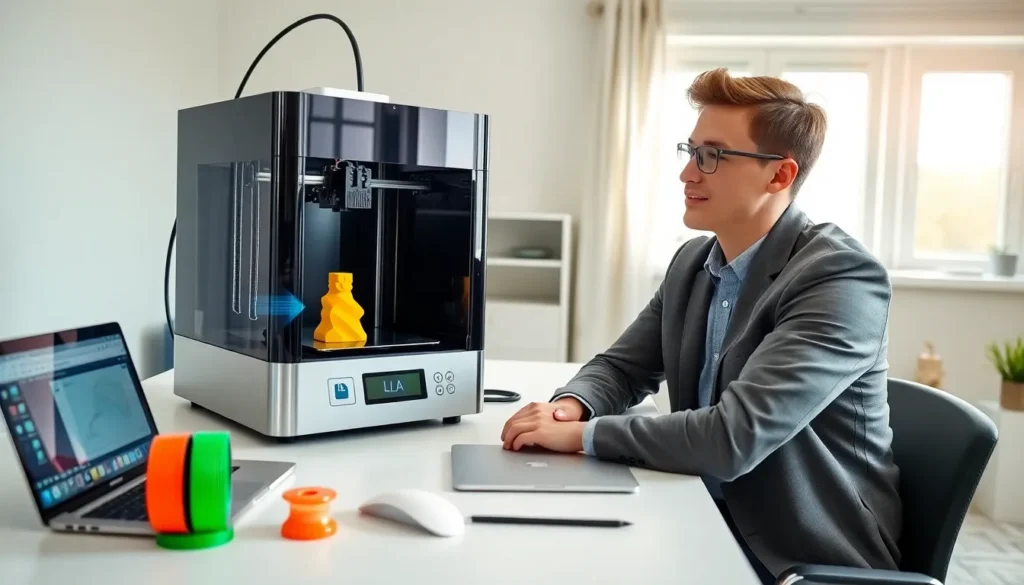
3D printing for beginners can feel overwhelming at first. The technology, the machines, the materials, it’s a lot to take in. But here’s the good news: getting started is easier than most people think.
This guide breaks down the basics of 3D printing in plain language. Readers will learn how the technology works, what equipment they need, and how to complete their first successful print. Whether someone wants to create custom parts, build prototypes, or just explore a new hobby, this article covers everything they need to know.
Table of Contents
ToggleKey Takeaways
- 3D printing for beginners is most accessible with FDM printers, which are affordable, user-friendly, and ideal for learning the basics.
- Entry-level 3D printers cost between $150 and $400, and models with auto-leveling features help prevent common first-print failures.
- PLA filament is the best starting material because it prints at lower temperatures, produces minimal odor, and comes in many colors.
- The basic 3D printing workflow involves three steps: create or download a model, slice it into printable instructions, and print layer by layer.
- Beginners should start with simple prints like calibration cubes to learn proper bed leveling and temperature settings before tackling complex projects.
- Regular printer maintenance—cleaning the nozzle, lubricating rods, and checking bed level—ensures consistent print quality over time.
What Is 3D Printing and How Does It Work?
3D printing creates physical objects from digital files. The process builds items layer by layer, adding material until the final shape forms. This method is called additive manufacturing.
The most common type of 3D printing for beginners uses FDM technology (Fused Deposition Modeling). An FDM printer heats plastic filament and pushes it through a nozzle. The nozzle moves across a build plate, depositing thin layers of melted plastic. Each layer cools and bonds to the one below it.
Here’s the basic workflow:
- Create or download a 3D model – Users design their own files using CAD software or download ready-made models from sites like Thingiverse.
- Slice the model – Slicing software converts the 3D file into instructions the printer can follow. It determines layer height, print speed, and support structures.
- Print the object – The printer executes the sliced file, building the object over minutes or hours depending on size and detail.
3D printing for beginners typically starts with FDM machines because they’re affordable and user-friendly. Other technologies like SLA (resin printing) offer higher detail but require more cleanup and safety precautions.
Choosing Your First 3D Printer
Selecting a first 3D printer doesn’t require a huge budget. Entry-level machines now cost between $150 and $400, and many perform surprisingly well.
When shopping for a 3D printer, beginners should consider these factors:
- Build volume – This determines the maximum size of printable objects. A 220mm x 220mm x 250mm build area works well for most starter projects.
- Assembly required – Some printers arrive fully assembled. Others come as kits. Kit printers cost less but require several hours to build.
- Community support – Popular printer models have active online communities. These groups share troubleshooting tips, upgrade guides, and print settings.
- Print bed type – Heated beds help prints stick better and reduce warping. Most modern 3D printers include this feature.
Popular beginner-friendly options include the Creality Ender 3 series, Anycubic Kobra, and Elegoo Neptune. These machines offer solid performance at reasonable prices.
3D printing for beginners works best with printers that have auto-leveling features. Manual bed leveling frustrates many newcomers and causes print failures. Spending slightly more for auto-leveling saves time and headaches later.
Essential Supplies and Materials
Beyond the printer itself, beginners need a few key supplies to start 3D printing successfully.
Filament
PLA (Polylactic Acid) is the best filament for 3D printing beginners. It prints at lower temperatures, doesn’t require a heated enclosure, and produces minimal odor. PLA comes in dozens of colors and specialty finishes.
A 1kg spool of PLA costs between $15 and $25 and lasts through many projects. Beginners should buy two or three spools in different colors to experiment.
Tools
Every 3D printing setup needs basic tools:
- Scraper or spatula – Removes finished prints from the build plate
- Flush cutters – Trims support material and cleans up edges
- Needle-nose pliers – Helps remove stubborn support structures
- Isopropyl alcohol – Cleans the print bed for better adhesion
- Glue stick or painter’s tape – Improves bed adhesion for tricky prints
Software
3D printing requires two types of software. First, a slicer converts 3D models into printable files. Cura and PrusaSlicer are free options that work well for beginners. Second, CAD programs like Tinkercad or Fusion 360 allow users to design their own models.
Most beginners start by downloading pre-made models before learning to design their own. This approach lets them focus on printing skills first.
Your First Print: Step-by-Step Process
The first 3D print should be simple. Many beginners start with a calibration cube or a small test model. These prints take under an hour and help verify the printer works correctly.
Follow these steps for a successful first print:
Step 1: Level the bed
The print bed must sit at the correct distance from the nozzle. Too close, and filament can’t flow. Too far, and prints won’t stick. Use a piece of paper to check the gap, it should create slight resistance when pulled between the nozzle and bed.
Step 2: Load filament
Heat the nozzle to the recommended temperature for PLA (usually 190-210°C). Feed the filament through the extruder until it flows smoothly from the nozzle.
Step 3: Prepare the model
Open the slicer software and import a simple model. Start with default settings, slicers include tested profiles for common materials. Save the file to an SD card or send it directly to the printer.
Step 4: Start the print
Watch the first few layers closely. The filament should lay down smoothly and stick to the bed. If problems appear, stop the print and troubleshoot before wasting more material.
Step 5: Remove and clean
Let the print cool before removing it. Most prints pop off easily once the bed reaches room temperature. Use flush cutters to remove any support material or rough edges.
3D printing for beginners gets much easier after completing a few successful projects. Each print teaches something new about settings and techniques.
Common Beginner Mistakes to Avoid
New 3D printing enthusiasts often make the same errors. Knowing these pitfalls helps beginners avoid frustration and wasted filament.
Skipping bed leveling
Poor bed leveling causes most first-layer failures. Even printers with auto-leveling need occasional manual adjustments. Check the level before every few prints.
Printing too fast
Slower speeds produce better results, especially for beginners. Start at 40-50mm/s and increase speed only after gaining experience. Rushing leads to layer separation and poor surface quality.
Ignoring ambient temperature
Drafts and cold rooms cause prints to warp or crack. Keep the printer away from windows, air vents, and fans. Some users build simple enclosures from cardboard or plastic storage bins.
Using incorrect temperatures
Every filament brand has ideal temperature ranges. What works for one PLA might not work for another. Test new filaments with a temperature tower, a special print that tests multiple settings at once.
Neglecting maintenance
Printers need regular care. Clean the nozzle, lubricate the rods, and tighten loose screws every few weeks. A well-maintained 3D printer produces consistent results for years.
Starting with complex models
3D printing for beginners should begin with simple shapes. Highly detailed models with overhangs and fine features require advanced settings. Build skills gradually before attempting ambitious projects.